
If you are practising
Use only the dedicated test button, during the enabled phase and according to the team's instructions. Check your allowance and the label TEST ALARM. Do not invent an emergency to practise.
ALTOS TAKES THE FIRST STEP
Imagine someone nearby needs help. And neighbours hear about it so they know what is happening. That is what we are working towards with VenA.
Before the app becomes available to everyone, we want to try it together with people from Altos. Nobody knows our town better than the people who live here.
And we need you to help us.
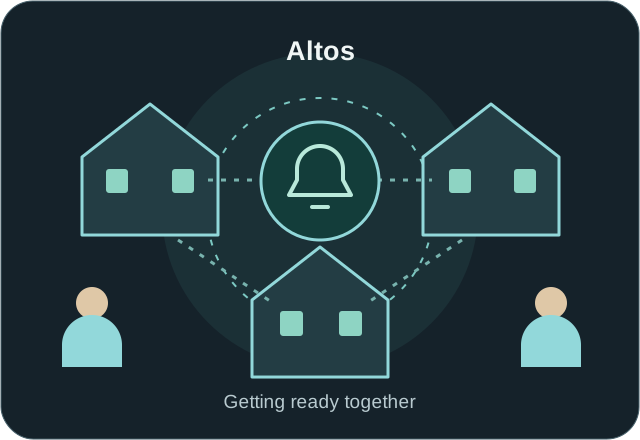
VenA aims to notify people nearby during an emergency, such as a fire, an accident or another dangerous situation. Clear information helps neighbours understand what is happening and offer help voluntarily, without putting themselves at risk.
In a real emergency, contact the police, fire brigade or appropriate emergency services first. VenA complements local help. A message cannot guarantee delivery or an available person to help.
Sometimes a small observation makes a difference. Perhaps you cannot find a feature straight away. Perhaps you spot a bug. Or you have an idea that would make VenA easier for everyone.
That is why we are looking for people from Altos to try it with us. You do not need to be a technology expert. Your honest opinion matters.
Once you are selected, we show you how to install and use the app.
Is something unclear? Does something not work? Do you have an idea? We want to hear it.
Your feedback helps us improve the app before its public launch.
You do not have to intervene in a real emergency. Test alarms must follow the safe exercise instructions. Taking part is voluntary.
Altos is the only location in this first trial. We will select 100 people manually; other applications stay on the waiting list. Everyone shares the same 14-day phase once preparation is complete. The date has not been set. Each authorised participant can start at most 3 test alarms across the whole phase. Only authorised Altos participants within their respective help radius receive these exercises.
A PLACE TO TALK
You might notice something while testing. Perhaps the app behaves differently from what you expected. Perhaps you have an idea or want to understand a feature.
That is what our VenA forum is for. You can report bugs, share suggestions, ask questions and discuss them directly with the VenA team and other participants. Start a topic or join an existing conversation.
Conversations happen through forum posts. We do not promise an immediate reply. We want to build VenA together with our neighbours.
Do not post passwords, other people’s phone numbers, sensitive locations or private emergency details. Writing requires a signed-in, authorised account.
In immediate danger, contact official emergency services. The forum is not an emergency channel.
Help us try VenA in Altos. We will review applications and explain the next steps. Open the application using “I would like to try VenA” or the section below.
Help us try VenA in Altos. Taking part is voluntary. We review applications and explain the next steps.
Applying does not give you automatic access. We will let you know when we can confirm your participation. Use the Google account from your Play Store for the trial; it does not have to be a Gmail address.
No. If something feels difficult or unclear, your feedback is especially helpful.
No. Nobody has to put themselves in danger. Contact the appropriate emergency services in a real emergency. Real requests for help remain available through their separate flow in authorised Altos; the three-test allowance does not limit them.
In the VenA forum. You can also ask questions and talk with the team and other participants there.
No. We review applications and select participants manually. You receive access instructions after confirmation. There is no public trial download.
No. The whole group shares one phase. Installing later resets neither the dates nor your allowance of three test alarms.
Here are the detailed steps for later. Use only the dedicated test button for exercises. Guide images are explanatory illustrations, not app screenshots.
After you have been selected
Closed access will be enabled once technical preparation is complete. The illustrations in this guide are educational diagrams, not app screenshots. Final names and screens will be confirmed before the start.
Use the official invitation the team sends you after accepting your participation. Check that the same Google account is selected in Google Play. If the link does not give you access, check the account and contact the team; do not try a forwarded APK.
Applying, opening a link or signing in to the website does not replace approval for the closed test.
Follow the official test instructions and keep the version specified for the pilot. Check the VenA name and the official source before installing. Do not share access as if it were a public download.
Sign in with the authorised account and check your details and Altos as the pilot city. The app and server must recognise your approved participation. If another city appears or you cannot access the pilot, ask for a review; do not change details to try to force authorisation.
Follow the Home or reference-location setup offered by the pilot version. Privately check that it is correct and grant the location permissions explained by the app. Do not post your address, coordinates or screenshots of your home on a map in comments or groups.
The reach of alerts depends on the applicable help radius and the phone's conditions. Selecting a city does not mean everyone in that city receives every alert.
Check VenA's notification permission and location settings. During the agreed exercise, check that the alert arrives even when you do not have the app open. If it does not arrive, note your phone model, app version and what you were doing so you can ask for support.
Connectivity, permissions and phone restrictions can affect reception; VenA does not guarantee that every alert arrives or that someone can respond.
Before the exercise, review the alarm-ending and PIN instructions shown in your version. Do not share your PIN or sign-in codes. If something differs from this guide, stop the test and ask for help; do not use a real request for help to test a button.
An agreed exercise, clearly identified
During the shared 14 days there will be a dedicated test button, separate from the real request for help. Each person admitted as a tester in the Altos pilot will be able to start up to 3 test alarms in total. This is not three per day, per phone or per installation. You do not have to use them all. Unused tests cannot be transferred to another person and do not grant a new allowance when the phase ends.

Only accounts recognised by the server as admitted Altos pilot testers will be able to start tests during the shared phase. A forum badge or an institution's directory listing does not authorise tests. Arrange the exercise according to the team's instructions so recipients know how to take part.
The test will use a verified current point within Altos. It does not start kidnapping tracking or automatically share photos. Set up location as the app instructs, without posting the point in a group.
The planned button is called Test alarm. The app should show Tests available: X of 3, using your actual balance. Check it before continuing: this guide does not have a counter. Reinstalling, using another phone or tapping repeatedly does not grant a new allowance; the server enforces the maximum of 3 for your account over the whole pilot.
One use is consumed when the server permanently creates the alarm, even if a phone does not receive the push notification. Cancelling before creation or a failed creation consumes none. Resubmitting the same attempt must not consume another use. If you do not know whether it was created, do not start a new test: check the status and contact the team.
The planned dialog asks Send a test alarm?
and explains: This is an exercise, not a real emergency. Only approved participants from Altos within their help radius will be notified. Saving the alarm on the server will use one of your 3 tests for this phase.
Check that it is a TEST ALARM and select Send test alarm once, or Cancel before sending. If you actually need help, leave this flow and use the normal request for help.
While it says Saving the test alarm…, wait for the result. If you see We have not been able to confirm the result yet. Check the status or retry the same request. Do not start another test.
, use Check / retry the same test. A timeout does not prove that it failed: recover the result of the same attempt without starting a new one.
Test alarm saved. Alert delivery is being processed. means it has been created and one use has been consumed, even if delivery is still pending. A delivery failure does not create another alarm or consume another test.
Both the phone's push notification and the alarm inside VenA must be marked TEST ALARM. The planned title is TEST ALARM · Altos, with the text Exercise among approved participants. This is not a real emergency. Open VenA to see the status.
Reception and the workflow will be real, but it will be an exercise. Recipients will be only authorised Altos testers within the applicable help radius; not the entire city or every contact in the directory.
This exercise does not call on institutions or anyone outside the authorised group. If the alert is not clearly marked as a test, do not assume it is one: inform the team and do not ignore a possible real emergency.
Open the alert and check its test label. The planned flow offers Take part in the test, only if you can do so safely. The step Simulate arrival at the test point represents arrival for the exercise: you do not need to travel. Do not mobilise official services.
As a participant, use Finish my participation in the test to finish and check for Your participation in the test has ended. If you need to leave earlier, the planned action is Cancel my participation. Accepting, finishing or cancelling your participation does not consume a use from your test allowance.
The person who started the exercise will use End test alarm and confirm End this test alarm for all its participants?
Check the status Test alarm ended. and that the helping activity has finished. Dismissing a notification or closing the app does not end the alarm; if the status does not update, inform the team.
Did the push notification arrive? Was it clear that it was a test? Could you open it, offer help and see the end state? Note the approximate time, phone model, version and the step where the problem appeared. Send feedback through the official channel specified by the team, or contact vena@modsbyben.net.
Do not attach other testers' names, addresses, coordinates, tokens, PINs or photos of other people. If you need to send a screenshot, hide those details first.
Two different paths
Use only the dedicated test button, during the enabled phase and according to the team's instructions. Check your allowance and the label TEST ALARM. Do not invent an emergency to practise.
Get to safety and contact the appropriate official service. During the enabled Altos pilot, use VenA's normal request for help as a complement. The three-test allowance does not limit real requests.
Institutions will participate in the pilot only if they are confirmed and actually registered for the test. A directory listing does not establish participation or guarantee a response. No official partnership or assured assistance is being announced.
A question, a bug or an idea: your experience helps. If you would like to join, apply here. You can also join the forum conversation already.