Registration and location
VenA uses a name, phone number, city and location to keep alerts local and traceable.


Neighbours on alert
Report local emergencies, inform nearby neighbours and find contacts for firefighters, police, ambulances and medical help. In immediate danger, calling the official emergency service always comes first.
VenA provides additional neighbourhood support. It does not replace police, firefighters, ambulances, hospitals or other official services.
In brief
VenA is a native Android app for neighbourhood support in Paraguay and South America. It helps neighbourhoods, families, communities, local organisations, safety networks and support groups notify others quickly, organise nearby help and reduce false alerts. When there is real danger, official emergency services must be called directly.
VenA is built for Android, with direct flows for alerts, maps and notifications.
Information is organised by location, city and department to keep it relevant.
VenA always complements official emergency channels and public services.
Main features
The experience supports quick action while keeping neighbourhood help distinct from official emergency response.
VenA uses a name, phone number, city and location to keep alerts local and traceable.
An alert can include the emergency type, text, an optional photo, an optional phone number and access information.
On Android, VenA can add a widget to start an alert from the home screen without first searching for the app.
Nearby people can view relevant alerts, confirm help and open directions in Google Maps.
The app shows nearby situations and local contacts without acting as an official emergency dispatch centre.
Weather warnings and notifications are optional, filtered by department and require an available official source.
Safety news is shown by country, department and category when local-language sources and duplicate checks are available.
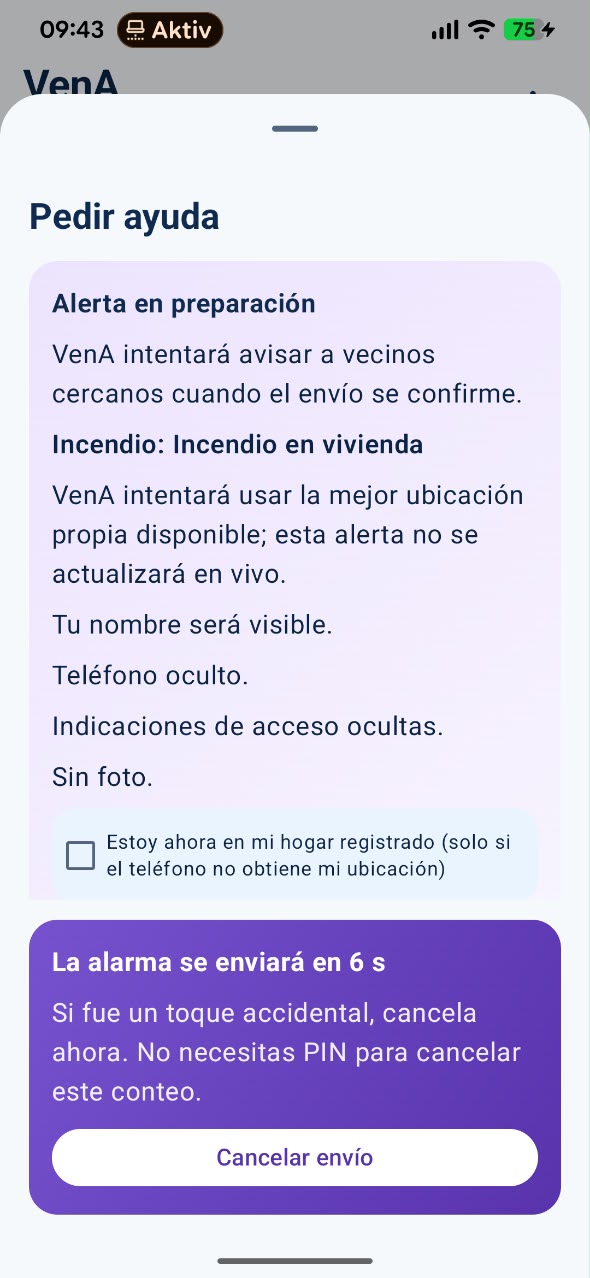
The screenshot shows an alert being prepared, the remaining time and the Cancel sending option. Options may vary with the installed version.
Phone numbers, photos and references are shared only within the intended flows. The app provides for data deletion.
The server can detect risky usage patterns and block repeated abuse before it affects real neighbours.
Local pages distinguish pending, under-review and verified phone numbers to avoid unconfirmed information.
Availability status
VenA is in Google Play's internal test channel. You can apply for the beta test; applications are reviewed and do not grant automatic access or a public installation link.
Do not install APKs forwarded through chats or files from unknown sources. If you have already been invited, use the authorised Google account and the private link sent to you.
Safe use
Short guides to decide what to do first and when to use VenA for support.
Get to safety, avoid confrontation, call the police and use VenA as additional support to notify nearby neighbours.
Read the theft guideCall firefighters or the available official emergency service. VenA can warn neighbours but does not replace firefighters.
Read the fire guideContact an ambulance service, hospital or medical service directly. VenA can notify nearby neighbours or first responders.
Chest pain / possible heart attackYes. An institutional email address can be used to submit public contact details and a source for review before the directory publishes them.
Submit official detailsVenA speeds up nearby help, but official services remain the main route in real emergencies.
View the current directory